 Report an Outage
 Manage Service
 Call 800-257-4044
 Stay Safe
 Log In
 Pay My Bill
Make sure you're using the most recent version of:
- Chrome
- Firefox
- Safari
- Edge
Our My Account portal offers a customizable view, self-service capabilities, interactive usage information, notification options, a streamlined process to view and pay your bills, and more.
My Account uses your email address instead of a username.
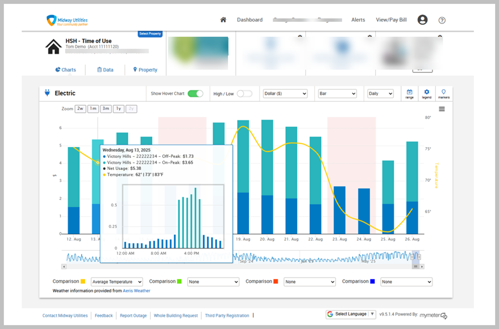
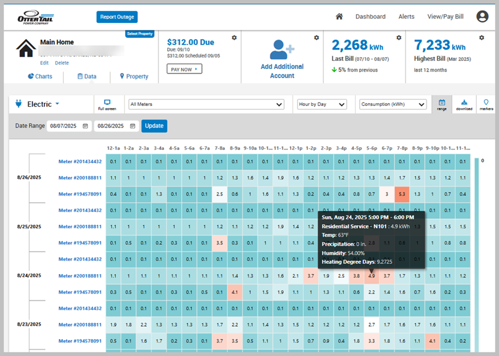
If you experience difficulties while accessing My Account, try these simple troubleshooting steps:
See additional information below. Call 800-257-4044 or 218-739-8877 or email us at [email protected] with any questions. Please include your account number if reaching out to us by email.
Make sure you're using the most recent version of:
My Account is available on:
Paymentus is our payment processing company.
You may manage your payments, including autopay and other preferences, in My Account. You'll find this information in the View/pay bill section. Look for the link to Manage autopay.
Your energy control alert subscriptions are limited to the rate(s) and service locations associated with your registered account(s). Energy control alerts may be sent to the email address used as your username or your may add additional email addresses.
You can also view energy control activity that is currently underway or that has occurred during the past 48 hours at otpco.com/EnergyControl.
Our My Account portal is unable to collect donations for those in need of energy assistance. We appreciate your past support and encourage you to continue contributing by mail. All funds received are direct to support those in need of assistance.